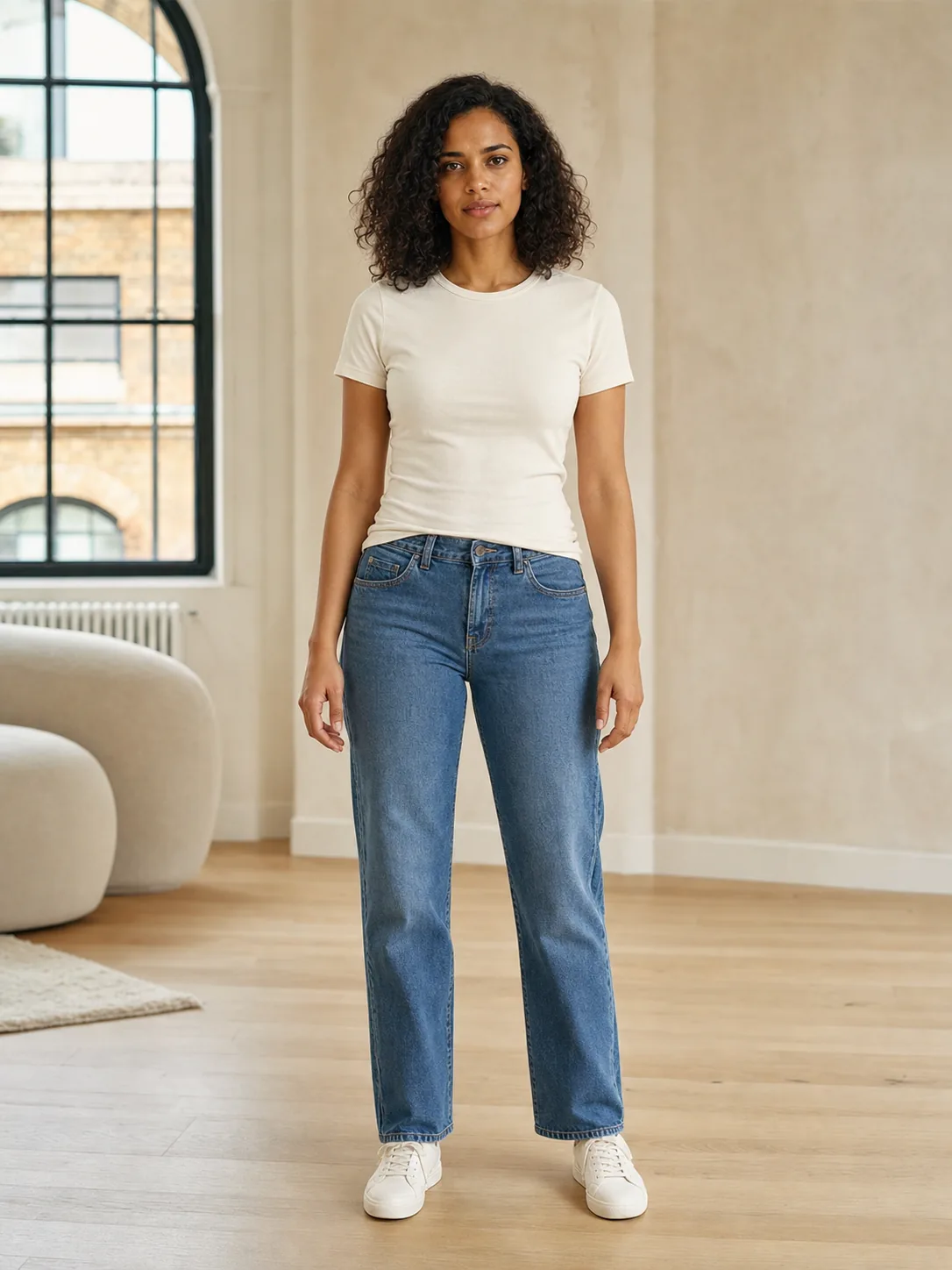
For Lace Riot, start with a recent, well-lit, front-facing full-body photo of yourself as an adult, with only you in the frame. Keep your arms slightly away from your torso and avoid objects covering the outfit area. Clear inputs help you evaluate a generated preview, but even an excellent photo cannot make AI measure your size or guarantee a faithful result.
Set up one clear reference photo
Choose a place where light falls onto you rather than shining from behind. A window in front of you is a useful starting point; check that your face and clothing remain visible instead of relying on the camera to brighten a silhouette. A normal room is fine. Move distracting objects away from the outline of your shoulders, waist and legs.
Place the phone on a stable surface, keep it approximately level, and step back until your whole body fits in the frame. Use the camera timer if you are taking the picture alone. Leave a little room above your head and below your feet. Check the finished photo rather than assuming the camera preview captured everything.
- Face the camera with a relaxed standing pose.
- Keep your arms slightly away from your sides and your hands visible.
- Use simple everyday clothing that leaves the outline of the outfit readable.
- Keep other people, including background reflections, out of the picture.
Check the photo before spending a credit
Open the photo and look at the edges of your current clothes. Can you see where the sleeves end, where the torso meets the trousers or skirt, and how the legs are positioned? A handbag across your chest, crossed arms or a large coat can hide information you want the preview to retain. Retaking the photo is often more useful than submitting the same obstructed image again.
Zoom in briefly to check sharpness. If movement has blurred your face or clothing, take another shot with the phone supported and the timer enabled. Avoid beauty filters, artificial body reshaping and strong colour filters: they change the reference you will later compare with the result. Do not remove clothing to prepare a try-on photo.
Compare styles with the same input
An illustrative example: you want to compare a tailored jacket with a relaxed everyday look. A dim mirror selfie hides one arm and cuts off your shoes. A fresh full-body photo in front of a window makes the pose and visible outfit easier to inspect. This is a suggested setup, not a published test showing a particular improvement rate.
Use the same reference photo for both previews when possible. That keeps the input lighting, camera angle and pose consistent, so there are fewer distractions when you compare the style directions. Remember that the AI can still change those details in its output. A difference between results is not automatically a difference the physical garments would create.
Review the person as carefully as the clothes
Use Lace Riot's Before/After comparison to check whether your face, pose, hands and body proportions have changed. Then inspect the outfit: neckline, seams, fastenings, pattern, layering and hem. A polished-looking image may contain invented details. If the preview alters your body or loses a garment feature that matters to you, set it aside rather than treating it as evidence about the clothing.
For lingerie or underwear, evaluate only a general style direction. A generated picture cannot confirm coverage, opacity, stretch, support or comfort. Those need the real product information and physical assessment. If you decide to shop for a similar item, restart those checks with the seller's listing rather than transferring confidence from the preview.
If the preview looks wrong
Change one input problem at a time. Retake a dark photo with light in front, replace a cropped photo with a full-body one, or move an object away from the torso. This helps you understand what you changed. Repeated generation from identical inputs can still vary, so a better-looking second result does not prove that the first problem has been solved.
Lace Riot is an iPhone and Android app with paid try-on credits. Choose a supported look in the app and review the current purchase terms before generating. Follow the app's instructions and use your own adult photo. For the processing and deletion details, read the linked Privacy Policy before uploading; a photo checklist does not replace that policy.
THREE THINGS TO REMEMBER
- Use one recent full-body photo with clear light, a simple pose and no obstructions.
- Compare the output with the original, including face, hands, proportions and garment details.
- A clearer input helps review a style preview; it does not establish real size or fit.
Questions and answers
Can I use a selfie for Lace Riot virtual try-on?
A front-facing full-body photo is the recommended starting point. A close face selfie leaves the rest of the body outside the frame and cannot establish how a complete outfit would look on your real proportions.
Should I upload a photo without clothes?
No. Use a normal clothed photo of yourself as an adult. A clear view of your pose and outfit area is the goal; removing clothes is not part of this checklist.
Does a good photo guarantee an accurate try-on?
No. The output is synthetic and may change your face, body, background or garment details. Inspect the preview and verify real product measurements and fit separately.
Sources and references
- Lace Riot (2026). AI Virtual Try-On App: How It Works. Lace Riot product documentation. Open source
Limitation: The app's recommended input and preview limitations are product guidance, not a controlled benchmark of image accuracy. Catalogue availability can differ by platform and version.
- Google (2025). Here's how to use Google's new virtual try on tool. Google Shopping. Open source
Limitation: Google also recommends a well-lit full-length input for its own tool. Its supported workflows and availability do not establish capabilities or accuracy for Lace Riot.